
Restaurant Marketing for Canadian Operators
Restaurant Google Ads in Canada: What Actually Drives Bookings (Not Just Clicks)
By Kyle Senger
15+ years in local marketing; Google Ads certified; Shopify Partner.
TLDR
Canadian restaurant Google Ads campaigns fail most often at setup, not spend, because operators bid on low-intent terms, skip conversion tracking, and send paid traffic to homepages instead of reservation or ordering pages.
- Conversion tracking: phone call completions, reservation form submissions, and ordering page clicks must be configured in Google Tag Manager before the first dollar is spent.
- Acquisition math: at CAD $1.50 to $3.00 per click and an 8% conversion rate, cost per new customer runs CAD $19 to $38, which erases margin unless repeat visits are factored in.
- Campaign type: Search campaigns with intent-specific keywords outperform Performance Max for operators spending under CAD $1,500 per month.
- Quebec and Prairie rules: Bill 96 requires French-predominant ad copy in Quebec, and Saskatchewan's AGRA restricts liquor price-promotion advertising.
- Prerequisite check: fix your Google Business Profile and get above a 4.0 rating before running paid traffic.
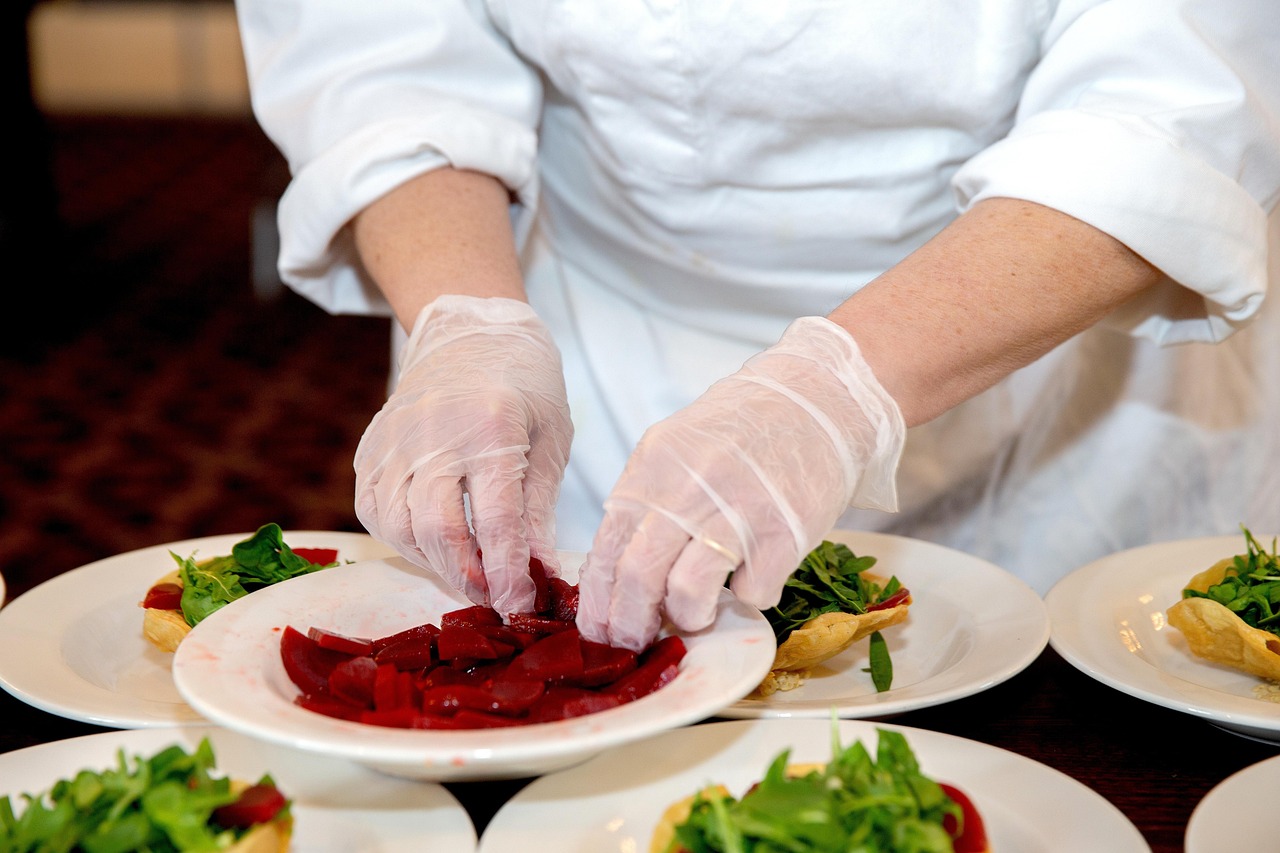
Picture this: you're a restaurant owner in Calgary. You set up Google Ads six months ago. You're spending $800 a month. The agency sends you a report every month showing impressions, clicks, click-through rates. Looks busy. Looks professional.
But you can't tell if a single new customer walked through your door because of it.
That's the restaurant Google Ads problem in Canada. Not that the ads don't work. They do. The problem is most operators are measuring the wrong things, bidding on the wrong terms, or running campaigns that were built for a US market and never adjusted for how people actually search in Regina, Saskatoon, or Winnipeg.
This article is specifically about Google Ads for restaurants. Not SEO, not social, not your GBP listing. Those are real channels too, and our complete guide to restaurant marketing canada covers all of them. But if you're here, you've got a specific question: can Google Ads actually drive covers, direct orders, and reservations for my restaurant? And is it worth what I'm spending?
Yes. With conditions. Let me show you what those conditions are.
Why Most Restaurant Google Ads Campaigns Underperform Before They Even Launch
Here's the thing. Google Ads for restaurants fails at setup, not at spend.
The three most common mistakes I see when a restaurant owner shows me their existing campaign:
1. Bidding on broad terms with no intent behind them. "Restaurants in Toronto" sounds logical. But that search could be someone doing research for a work event, a tourist planning a trip two months from now, or a food blogger writing a listicle. It's not someone who's hungry right now and needs a table in 45 minutes. The intent is wrong.
The searches that actually convert for restaurants are specific and urgent. "Pizza delivery open now Saskatoon." "Sushi restaurant near me." "Best brunch Regina Saturday." Those searches have a decision baked in.
2. Sending ad traffic to the homepage. Your homepage is not a landing page. It's a welcome mat. If someone clicks your ad for "Italian restaurant Winnipeg" and lands on your homepage with a hero image and a "Welcome to [Name]" headline, you've lost them in about four seconds. They wanted to see your menu, your hours, and a way to book. You gave them brand vibes instead.
3. Not tracking what actually matters. Clicks are not revenue. Impressions are not covers. If your campaign isn't tracking phone calls, reservation form completions, or clicks to your online ordering page, you're flying blind. You're paying for data you can't use.
The Math on What a Booking Is Worth (And What You Can Afford to Pay for One)
Before you set a Google Ads budget, you need to know what a new customer is actually worth to you. This is the piece most operators skip.
Here's a simple worked example. I'll use numbers you can swap out for your own.
Say you run a fast-casual spot in Saskatoon. Your average ticket per cover is $22. Your average party size is 2.2 people. So your average visit generates about $48 in revenue.
Now, what's your food and labour cost as a percentage of revenue? For most Canadian independent restaurants, that's running somewhere between 60-70% of revenue combined, which means your gross margin per visit is roughly $14-$19 on that $48.
That's your ceiling on what you can pay to acquire a new customer and still make money on the first visit. Let's call it $15.
If your Google Ads campaign is converting at 8% (meaning 8 out of every 100 clicks turn into a reservation or an order), and your average cost per click in a mid-sized Canadian city is around $1.50-$3.00 for restaurant-intent keywords, you're paying roughly $19-$38 per new customer.
At $19, you're close to breakeven on the first visit. At $38, you're losing money unless that customer comes back.
That's why the economics of Google Ads for restaurants hinge almost entirely on two things: your conversion rate and your repeat visit rate. A customer who comes back four times is worth $60 in gross margin over their first year. That changes the math completely.
I think most operators don't run this calculation before they start spending. They just pick a budget that feels reasonable and hope for the best. That's how you end up with $800/month in spend and no idea if it's working.
What Campaign Types Actually Work for Canadian Restaurants
Not all Google Ads campaign types are built for restaurants. Here's what I've seen work, and what tends to be a waste.
Search Campaigns (Yes, But Targeted)
Search ads are your bread and butter. These are the text ads that show up when someone types a specific query into Google.
The key is keyword intent. You want to bid on searches where someone is clearly about to make a decision. That means:
- "[Cuisine type] restaurant [city]" , "Thai restaurant Vancouver"
- "[Cuisine type] near me" , "sushi near me" (Google geo-targets this automatically)
- "[Your restaurant name]" , yes, bid on your own brand name so competitors can't steal your traffic
- "Delivery [cuisine] [city]" , if you do direct delivery
- "Reservations [cuisine] [city]"
- "Open now [cuisine]" , high urgency, high conversion
What to avoid bidding on: generic terms like "restaurants near me" without a cuisine modifier (too broad, too expensive), "best restaurants [city]" (usually people doing research, not deciding), and anything that sounds like a tourist planning six months out.
For a Prairie operator, "SkipTheDishes" and "DoorDash" branded searches are worth watching. Some operators run ads specifically to capture searchers who were going to order through a third-party platform and redirect them to direct ordering instead. That's a legitimate play if you've got a direct ordering setup. For a full breakdown of the commission math and why this matters, see our guide on cutting DoorDash and SkipTheDishes commission.
Performance Max (Use With Caution)
Google's Performance Max campaigns run across Search, Display, YouTube, Gmail, and Maps simultaneously. Google's algorithm decides where to show your ads.
The pitch sounds great. The reality for small restaurants is messier. PMax needs significant conversion data to optimize well, and most independent restaurants don't have the volume to feed it enough signal. I've seen PMax campaigns burn through budgets on Display and YouTube impressions that generate zero covers.
If you're spending under $1,500/month on ads, stick to Search campaigns with tight keyword lists. PMax is a tool for operators with multiple locations and enough data for Google to learn from.
Local Services Ads (Not Yet for Most Restaurants)
Local Services Ads (LSAs) are the green "Google Guaranteed" badges you see above regular search results. They're pay-per-lead, not pay-per-click. Right now, LSAs are available for a limited set of restaurant categories in Canada. Check availability in your Google Ads account, but don't count on it as a primary channel yet.
Maps / Local Pack Ads
These are the promoted pins that show up in Google Maps when someone searches for a restaurant nearby. They're technically part of your Google Business Profile ad setup, not a separate campaign type, but they're worth running alongside your Search campaigns.
Maps ads show up when intent is highest: someone is literally on their phone, probably hungry, looking at a map. Conversion rates on Maps clicks tend to be strong for restaurants. For everything about optimizing your Google Business Profile alongside your paid campaigns, see our restaurant local SEO and Google Business Profile guide.
How to Set Up a Restaurant Google Ads Campaign That Tracks Real Results
This is the operational piece. Week by week, here's what a proper restaurant Google Ads launch actually looks like.
Week 1: Conversion tracking first. Nothing else.
Before you spend a dollar on ads, set up conversion tracking. This means:
- Install Google Tag Manager on your website (or have your web person do it)
- Set up a conversion action for phone calls from ads (minimum 60-second call duration as a threshold)
- Set up a conversion action for reservation form completions
- Set up a conversion action for clicks to your online ordering platform
- If you're on OpenTable, Resy, or a similar system, check whether they have a Google Ads conversion pixel available
If you skip this step, you will never know if your ads are working. I'm serious. Don't launch without it.
Week 2: Build the campaign structure.
One campaign per goal. "Drive-in covers" is a different campaign from "direct online orders." They have different landing pages, different keywords, different bid strategies.
Within each campaign, create tightly themed ad groups. One ad group for "[cuisine] restaurant [city]" terms. One for "[cuisine] near me" terms. One for your brand name. Don't mix them together or your quality scores will suffer and your costs will go up.
Write at least three ad variations per ad group. Google's Responsive Search Ads format lets you enter up to 15 headlines and 4 descriptions. Google tests combinations automatically. Give it enough to work with.
Week 3: Set your bids and budget.
Start with manual CPC bidding or Enhanced CPC while you gather data. Don't jump straight to Target CPA or Maximize Conversions until you have at least 30-50 conversions tracked. Google's smart bidding needs data to work. Without it, it's guessing.
Set daily budgets that match your monthly target. If you're spending $600/month on ads, that's $20/day. Set it at $20/day and don't touch it for two weeks.
Week 4: Review and cut.
After two weeks of data, pull your Search Terms report. This shows you the actual searches that triggered your ads. You will find garbage in there. People searching for things that have nothing to do with your restaurant. Add those as negative keywords immediately.
This is also when you check your conversion data. Are calls coming in? Are reservation forms being completed? If you have zero conversions after two weeks of spend, something is wrong with your tracking or your landing page, not your keywords.
Month 2 onward: Optimize on what's converting.
Shift budget toward ad groups with the lowest cost per conversion. Pause keywords that are spending without converting. Test new landing pages. If your reservation page is converting at 5% and your homepage is converting at 1%, send all your traffic to the reservation page.
The Landing Page Problem (And How to Fix It Without a Full Redesign)
I mentioned this earlier but it deserves its own section because it's the single biggest waste of ad spend I see.
Your ad promises something specific. Your landing page has to deliver that specific thing immediately.
If your ad says "Book a Table at [Name] , Reserve Online Now," your landing page needs to show:
- Your name and what kind of restaurant you are (above the fold, in plain language)
- A reservation widget or button, visible without scrolling
- Your hours and address
- Two or three photos of your actual food and space (not stock photos)
- Nothing else in the way
That's it. Not your full story. Not your history. Not your catering menu. The person clicked because they want to book. Let them book.
If you're running ads to drive direct orders, the same logic applies. The landing page should open directly on your online ordering menu, or as close to it as your platform allows. Every extra click between "I clicked the ad" and "I placed the order" loses you a percentage of conversions.
For operators dealing with the chaos of menus that live in five different places, that's a deeper problem worth solving. Our guide on POS-to-DoorDash-to-Skip-to-Uber menu sync covers the source-of-truth problem in detail.
A Note on Canadian-Specific Considerations
A few things that US-focused Google Ads guides won't tell you.
SkipTheDishes is dominant in the Prairies. If you're in Saskatoon, Regina, Winnipeg, or a smaller Saskatchewan or Manitoba city, Skip is likely your highest-volume third-party platform. DoorDash dominates in Toronto and Vancouver. Uber Eats is strong in major urban centres. Your ad strategy, and specifically which branded terms are worth bidding on, should reflect your city's actual platform mix.
Liquor advertising rules vary by province. If your Google Ads copy mentions happy hour pricing, drink specials, or alcohol promotions, you need to know your province's rules. In Saskatchewan, the Alcohol and Gaming Regulation Act (AGRA) restricts price-promotion advertising for liquor. In Ontario, the AGCO's Liquor Licence and Control Act 2019 has similar restrictions. Don't let your Google Ads agency write copy that puts your licence at risk because they copied a US template.
Quebec operators face an additional layer. If you're running ads targeting Quebec, your ad copy and landing pages need to comply with Bill 96 (Charter of the French Language). French must be predominant. This affects your ad headlines, your landing page copy, and your Google Business Profile. Most US-based restaurant marketing tools handle this badly. It's a real gap.
CASL applies to remarketing lists. If you're building remarketing audiences from your website visitors or your email list to retarget with Google Ads, the email list component needs to be CASL-compliant. Express consent, unsubscribe mechanism, sender identification. This is a real compliance issue that gets ignored. For a full breakdown of what CASL means for restaurant marketing, see our guide on restaurant email and SMS marketing without breaking CASL.
When Google Ads Makes Sense vs. When to Spend That Money Elsewhere
Google Ads is not the right first move for every restaurant. Here's an honest framework.
Google Ads makes sense if:
- You have a working website with a real reservation or ordering flow
- You have conversion tracking set up (or can get it set up before you launch)
- You're in a market with enough search volume to justify the spend (generally, cities over 50,000 people)
- You want to drive immediate traffic while your SEO builds up over time
- You have a specific goal (covers on slow nights, direct orders instead of third-party)
Spend the money elsewhere if:
- Your Google Business Profile is incomplete, unverified, or suspended
- Your website has no way to book or order online
- You have zero reviews on Google and your rating is below 4.0
- You're in a very small market where search volume is too low to generate meaningful clicks
- Your menu, hours, or photos are out of date on your main digital touchpoints
The logic here is simple. Google Ads drives traffic. If the destination is broken, the traffic doesn't convert. Fix the destination first.
For the GBP piece specifically, our restaurant local SEO guide covers what "fixed" actually looks like. And if your reputation is the issue, our restaurant reputation management playbook is where to start.
Three Things to Take Away From This
First: Measure conversions, not clicks. Set up phone call tracking, reservation completions, and ordering page clicks before you spend a dollar. If you can't measure it, you can't manage it.
Second: Match your ad to your landing page. Someone who clicks "Reserve a Table" and lands on your homepage will leave. The promise in the ad and the experience on the page have to match exactly.
Third: Know your customer acquisition ceiling. Work out what a new customer is worth to you, factor in repeat visits, and set your cost-per-conversion target before you set your budget. If you don't know what you can afford to pay for a booking, you'll either underspend and see nothing, or overspend and wonder where the margin went.
Google Ads can work for Canadian restaurants. But it works best when it's one piece of a broader setup, not the whole plan. For the full picture of how paid search fits alongside SEO, social, loyalty, and direct ordering, our restaurant marketing canada playbook is where to go next.
Related Reading
- Restaurant SEO: A Field Guide for Canadian Independents
- Restaurant Local SEO + Google Business Profile for Canadian Operators
- Cutting DoorDash + SkipTheDishes Commission: A Direct-Ordering Recovery Plan for Canadian Operators
- Online Ordering for Canadian Restaurants: BentoBox vs ChowNow vs GloriaFood vs Toast vs Square