
Restaurant Marketing for Canadian Operators
Restaurant Menu Integration: How to Stop Updating Five Systems Every Time You Change a Price
By Kyle Senger
15+ years in local marketing; Google Ads certified; Shopify Partner.
TLDR
Menu fragmentation across POS, DoorDash, SkipTheDishes, and Uber Eats costs Canadian operators real margin: a $1 price error on 40 weekly orders left unsynced for three weeks equals $120 in lost revenue, before refunds or Google review damage.
- Core problem: Unsynchronised 86'd items trigger refunds, platform accuracy flags, and 1-star Google reviews that follow your restaurant name in search, not the delivery app.
- Fix: One source-of-truth system, either a POS with native integrations (Toast, Lightspeed, TouchBistro) or middleware like Deliverect or Otter at CAD $100 to $300 per month, pushes changes to all platforms automatically.
- Priority order: Availability syncing breaks faster than price syncing and causes more reputation damage, so configure and test it first.
- Quebec operators: Bill 96 requires French-predominant menus, and OQLF fines reach $30,000 per violation, so confirm bilingual field support with any vendor before launch.
- Bigger picture: Accurate menu management across all channels is the prerequisite for shifting order volume to direct channels at 2.5% processing fees instead of 25 to 30% platform commissions.
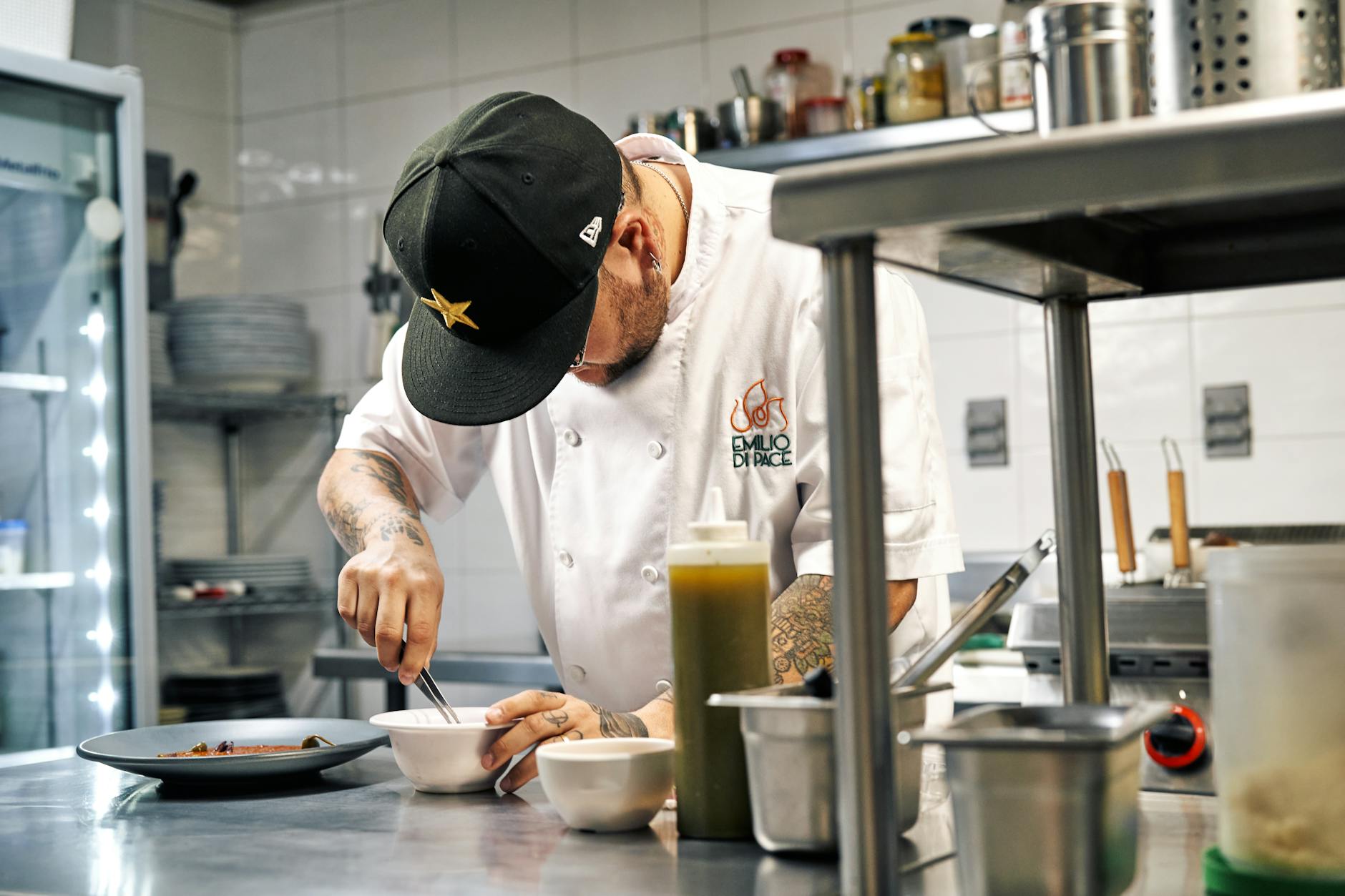
Picture this: it's 4:45pm on a Friday. Your prep cook tells you you're 86'd on the salmon. You pull it off the kitchen board. But it's still live on Uber Eats, SkipTheDishes, and your website. By 7pm, three guests have ordered it. Two get refunded. One leaves a 1-star Google review. You weren't even the one who screwed up , you just didn't have a system that talks to itself.
That's the restaurant menu integration problem. And it's not a tech problem. It's a margin problem, a reputation problem, and a marketing problem all at once.
This article is specifically about the mechanics of keeping your menu consistent across your POS, your third-party delivery platforms, and your direct ordering channel. It won't cover how to build a full marketing strategy (that's the job of our complete guide to restaurant marketing in Canada). What it will cover: why menu fragmentation is costing you money you haven't fully counted yet, how a source-of-truth setup actually works in practice, and how to audit your current situation and fix it step by step.
The Real Cost of Menu Fragmentation (And How to Do the Math)
Let's be specific about what's happening when your menu lives in five places and none of them talk to each other.
An independent operator in Winnipeg described it to me like this: "I changed the price of one pizza by a dollar. It took me 35 minutes , DoorDash, Skip, Uber, the website, the menu boards, the POS. I forgot Uber. Three weeks of orders went out at the wrong price."
Three weeks of orders at the wrong price. Here's what that actually looks like in dollars.
Say you're selling 40 of that pizza per week through Uber Eats. You raised the price by $1.00 but forgot to update Uber. That's $40/week in lost revenue. Over three weeks: $120 in pure margin left on the table. That's before you factor in the kitchen confusion, the refund requests, or the customer who noticed and called to complain.
Now multiply that across a menu of 60 items, with price changes happening every time your food costs shift. Per 2024 data from TouchBistro's Canadian State of Restaurants Report, 71% of Canadian operators raised menu prices in the past year due to food cost increases. That's not a one-time event. That's ongoing. Every update is another five-system problem.
And the 86'd item scenario is worse. A guest orders something you don't have. You issue a refund through the platform. The platform's algorithm may flag your location for order accuracy issues. The guest leaves a review on Google , not on the delivery app, on Google , because that's where people land when they search your name. Your Google rating takes a hit. Your Friday night reservation volume drops the following week.
The cost isn't just the refund. It's the downstream reputation damage. For a full breakdown of how to manage that damage once it happens, see our restaurant reputation management guide.
What "Source of Truth" Actually Means for a Restaurant Menu
The phrase gets thrown around a lot. Every rep , your POS rep, your DoorDash rep, your Skip rep, your website guy , tells you their system is the source of truth. None of them talk to each other.
Here's what it actually means in practice: one system holds the master version of your menu. Every other system reads from it, or is updated from it, automatically. When you change a price or 86 an item in the master system, that change flows everywhere else without you touching anything else.
There are two ways to get there.
Option 1: Your POS is the source of truth. This works if your POS has native integrations with your delivery platforms and your online ordering system. Toast, for example, has direct integrations with DoorDash and Uber Eats that can push menu updates automatically. Lightspeed has similar integrations. TouchBistro (Toronto-built, strong across Canada) has a growing integration library. The catch: these integrations are not always perfect, not always included in your base plan, and SkipTheDishes , the dominant platform in Saskatchewan, Manitoba, and smaller Prairie cities , has historically been slower to build into third-party POS integrations than DoorDash or Uber. If Skip is your primary volume driver (which it often is outside Toronto and Vancouver), confirm the integration depth before you buy anything.
For a detailed comparison of which POS systems handle this best in the Canadian market, see our breakdown of the best POS for Canadian restaurants.
Option 2: A menu management middleware layer. Tools like Otter, Deliverect, and ItsaCheckmate sit between your POS and your delivery platforms. They pull menu data from your POS and push it to DoorDash, SkipTheDishes, and Uber Eats simultaneously. They also handle 86 syncing in near-real-time, which is the piece that prevents the "ordered something we don't have" disaster. These tools typically run $100-$300/month CAD per location depending on platform count and order volume. That's real money for a single-location café, but if you're doing meaningful delivery volume, the math usually works in your favour within 30-60 days.
What about Quebec operators? This is worth its own mention. Under Bill 96 (the Charter of the French Language), menus and digital ordering interfaces for Quebec-based restaurants must be French-predominant. Most middleware tools and POS integrations handle English menus cleanly. French menu syncing is a different story. If you're operating in Quebec, confirm explicitly with any vendor that their platform supports bilingual menu fields and that French content displays correctly across DoorDash, Skip, and Uber Eats , not just on your website. OQLF enforcement is active and fines run up to $30,000 per violation. This is not a detail to discover after launch.
The 86 Problem: Why Real-Time Item Availability Is the Most Important Sync
Menu price accuracy is important. Item availability is urgent.
When a guest orders something you don't have, the sequence is predictable and bad: kitchen rejects the order, platform issues a refund, guest is annoyed, review gets posted. The review lands on Google, not on the delivery app, because guests search your name after a bad experience and Google is where they end up. You now have a 1-star review from a driver situation or a sold-out item , and no easy way to explain context in a response.
A fast-casual operator in Calgary described exactly this: "We got a 1-star review from a guy whose Uber Eats driver dropped his food in the snow. The driver works for Uber. The review is on Google. Nobody can explain why this is my problem."
The 86 sync problem is separate from the driver problem, but the outcome is the same: a bad guest experience that shows up on your Google Business Profile.
Here's what good 86 management looks like technically. Your POS or kitchen display system (KDS) marks an item as unavailable. That status needs to push to your delivery platforms in under 15 minutes, ideally under 5. Most POS-native integrations and middleware tools can do this. The problem is configuration. Operators often set up the integration once and never test it. The item gets marked unavailable in the POS, but the integration hasn't been configured to sync availability status , only menu items and prices.
When I look at restaurant tech setups, the most common gap I see is exactly this: the price sync works, the availability sync doesn't. Those are two separate data fields, and they need to be configured separately.
Test yours right now. Mark a low-volume item as 86'd in your POS. Wait 10 minutes. Check your Uber Eats, DoorDash, and Skip listings manually. If it's still showing as available on any platform, your integration is incomplete.
Step-by-Step: How to Audit and Fix Your Menu Integration Setup
This is the operational part. Here's how to actually do this, week by week.
Week 1: Map what you have.
List every place your menu currently lives. For most Canadian independent operators, this is: your POS, your website, DoorDash Merchant Portal, SkipTheDishes Partner Hub, Uber Eats Manager, and possibly a direct online ordering platform (Square Online, Toast Online Ordering, GloriaFood, ChowNow, or similar). Write them all down. Note whether each one was last updated and by whom.
Then do a manual audit. Take your current printed or POS menu and compare it line by line against each platform. Check item names, descriptions, prices, and photos. In my experience across restaurant clients, operators typically find 3-8 discrepancies per platform on the first audit , wrong prices, outdated item descriptions, items that were removed months ago still showing as available.
Week 2: Identify your source of truth.
Pick one system. It should be your POS if your POS has the integrations to support it. If it doesn't, you'll be choosing between upgrading your POS or adding a middleware layer. This is the decision point. Pull your delivery volume by platform. If SkipTheDishes is 60% of your delivery orders (common in Regina, Saskatoon, Winnipeg, and smaller Prairie cities), and your POS doesn't have a reliable Skip integration, that's your first problem to solve.
Call your POS provider and ask directly: "Does your system have a native, real-time integration with SkipTheDishes that syncs item availability, not just menu items?" The answer to that specific question will tell you whether you need middleware.
Week 3: Fix the manual discrepancies first.
Before you set up any integration, correct all the errors you found in Week 1. Do this in your POS first (or whichever system you're designating as source of truth), then manually update each platform to match. Take screenshots after. This gives you a clean baseline before automation takes over.
Week 4: Configure and test the integration.
If you're using a middleware tool like Deliverect or Otter, this is where you connect your POS to the tool and connect the tool to each delivery platform. Follow the setup guides, but don't trust that it worked. Run the test I described above: 86 an item, wait 10 minutes, check every platform manually. Then restore the item and verify it comes back live on all platforms. Do the same test with a price change. Update a price in your POS by $0.50. Check every platform 10 minutes later.
If both tests pass, your integration is working. If either fails, you have a configuration gap that needs to be resolved with your vendor's support team before you rely on the system.
Month 2 onward: Build the habit.
Every menu change starts in your source-of-truth system. Every new item gets added there first. Every price increase starts there. Every seasonal removal starts there. The platforms are downstream. This is a workflow change as much as a technology change, and it requires buy-in from whoever manages your menu , whether that's you, a manager, or a front-of-house lead.
For a detailed look at how direct ordering fits into this setup and how it connects to owning your customer data instead of renting it from delivery platforms, see our guide to online ordering for Canadian restaurants.
Menu Integration and Your Direct Ordering Channel
Here's the piece most operators miss when they set up menu integration: the goal isn't just to keep DoorDash and Skip accurate. The goal is to use accurate menu management as the foundation for moving more orders to your direct channel.
Restaurants Canada estimates third-party delivery commissions cost the Canadian foodservice industry over $1 billion per year (per Restaurants Canada's 2024 economic survey). That number comes from commission rates that typically run 25-30% on delivery orders and 6-15% on pickup orders through the platforms. By contrast, direct ordering platforms like Square Online, GloriaFood, or Toast Online Ordering charge 1.5-3.5% per transaction , and you own the customer relationship.
The math is straightforward. If you're doing $20,000/month in DoorDash delivery orders at 28% commission, DoorDash is keeping roughly $5,600. If you moved half that volume to your own direct ordering channel at a 2.5% processing fee, you'd pay $250 instead of $2,800 on that half. That's $2,550/month back in your pocket, per location.
The restaurant menu integration piece matters here because your direct ordering channel needs to be just as accurate and up-to-date as your third-party listings. If guests visit your website to order directly and find outdated prices or items you no longer carry, they'll go back to the app. The accuracy of your direct channel is a conversion factor. A sloppy direct ordering menu trains guests to use the platform instead.
For the commission reduction strategy specifically , how to actually shift volume from DoorDash and Skip to your owned channel without tanking your delivery revenue , that's the focus of our DoorDash and SkipTheDishes commission recovery guide.
And if you're building loyalty programs on top of direct ordering data, which is how the math gets really interesting over time, see our breakdown of restaurant loyalty programs as a margin strategy.
Three Things to Take Away From This
1. You probably have menu discrepancies right now. Most operators do. The first audit almost always finds them. Run the manual comparison before you do anything else.
2. The 86 sync is more urgent than the price sync. Wrong prices cost you margin. Unsynchronised 86'd items cost you reviews, refunds, and reputation. Fix availability syncing first.
3. Menu integration isn't just an operations fix. It's the foundation of your direct ordering strategy. If your menu is accurate and consistent everywhere, you can start shifting guests toward your owned channel. If it's a mess, you can't. Get the foundation right, then build on it.
Related Reading
- Restaurant Marketing Canada: The Full Playbook
- Best POS for Canadian Restaurants: Toast vs Square vs Lightspeed vs TouchBistro vs Clover
- Online Ordering for Canadian Restaurants: BentoBox vs ChowNow vs GloriaFood vs Toast vs Square
- Cutting DoorDash + SkipTheDishes Commission: A Direct-Ordering Recovery Plan
- Restaurant Reputation Management in Canada